LLM vs AI Agents vs Tools vs APIs vs MCP : What’s the Difference?
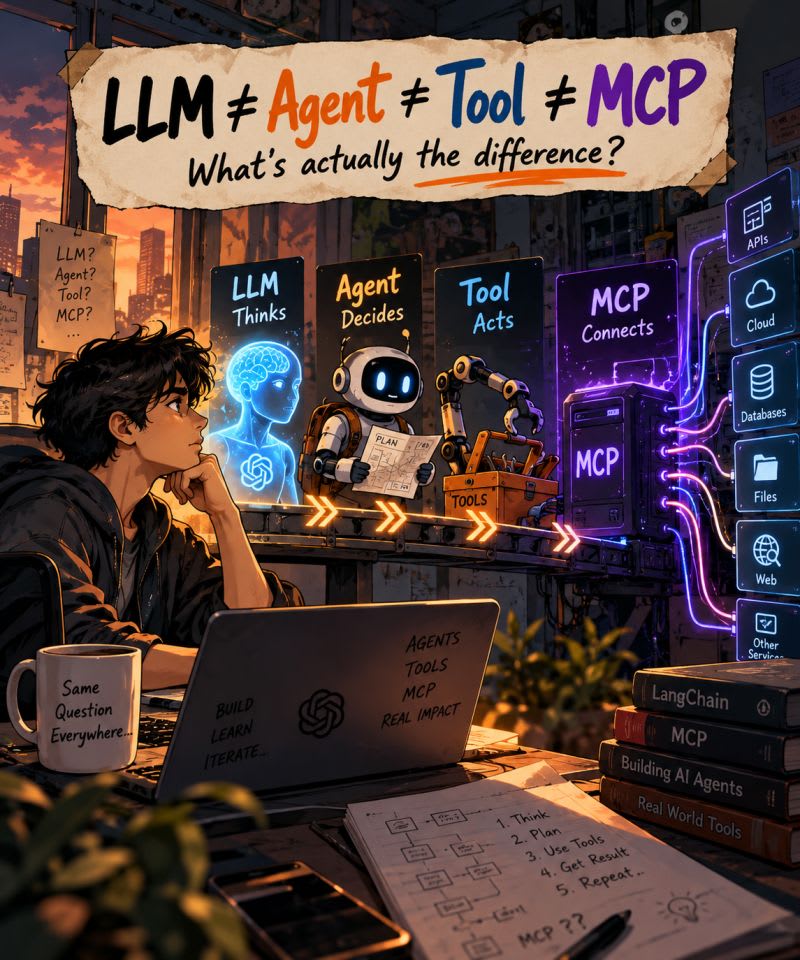
These six terms describe different pieces of the same AI application stack: the LLM reasons, tools give it capabilities, APIs connect those capabilities to real systems, an agent decides what to do next, LangChain helps wire the pieces together, and MCP standardizes how capabilities are exposed and discovered across applications.
After a recent LinkedIn post, more than 20 people messaged me the same question: LLM, Agent, Tool, MCP… what's actually the difference?
Honest answer: I'm still learning too. I build tools around LLMs and MCP at my company, and these words confused me for a long time. They get used interchangeably in tweets, docs and product pages, which makes it worse.
This post is my attempt to explain them from the ground up, learner to learner. We'll go one term at a time, look at how tool calling actually works under the hood, and then connect everything with a real example: issuing a refund through a payment system.
You don't need to have built an agent before. If you've used ChatGPT or Claude and written a little Python, you have everything you need.
The 30-second version
- LLM → reasons and decides what should happen, but on its own can only generate output
-
Tool → lets the LLM act on that decision, through a capability like
create_refund - API → what a tool calls to reach the real system, like Razorpay
- Agent → run the LLM and its tools in a loop, deciding the next step until the task is done
- LangChain → a framework that wires the LLM, tools and agent loop together in your code
- MCP → a standard protocol that exposes those tools, so any compatible app can discover and use them
The LLM decides. The application orchestrates. The tool represents a capability. MCP standardizes the connection. The API talks to the real system.
Now let's take each piece on its own, then watch them work together when an AI needs to refund a payment.
1. LLM: the brain
A Large Language Model (LLM) is a model trained on huge amounts of text to predict what comes next. GPT, Claude, Gemini and Llama are all LLMs.
That simple skill, predicting the next piece of text, turns out to be surprisingly powerful. A good LLM can reason through a problem, summarize a document, write code, translate languages and follow instructions.
Here's the idea that unlocks everything else: at its core, an LLM generates tokens. It can reason through a problem, but what comes out is always generated output. Modern LLM APIs can also return part of that output as structured data, such as a tool call, which an application can interpret and execute.
Every capability you see in modern AI products (searching the web, booking a meeting, issuing a refund) comes from the system and architecture built around the model, not from the model alone. The LLM generates output—a text response or a structured tool call—that tells the surrounding application what it wants to do. The application then decides whether and how to execute that request. Tools, agents, LangChain and MCP are all parts of that surrounding system.
But on its own, an LLM has hard limits:
- It can't take actions by itself. It can generate a response or request an action, but the surrounding application has to execute that action.
- Its knowledge is frozen. It knows what was in its training data, up to a cutoff date. It doesn't know today's weather or your order status.
- It can't see your systems. By itself, it has no access to your email, database, CRM or internal docs unless someone passes the content in or connects them.
A useful way to picture it: an LLM is a very smart person locked in a room with no phone and no internet. You can slide questions under the door, and they slide back excellent answers. But they can't go and check anything.
Everything else in this post is about giving that person a phone.
See it in code. Here's a bare LLM call using Anthropic's Python SDK (pip install anthropic). No tools, just a question:
A typical reply:
That's the honest answer. The model knows a lot about Bengaluru's climate, but it has no way to look outside. OpenAI, Gemini and open models behave the same way: the request shape changes, the limit doesn't.
2. API: the interface
An API (Application Programming Interface) is a defined way for one piece of software to talk to another. It says: send me a request in this shape, and I'll send back a response in that shape.
A weather app doesn't own satellites. It calls a weather API:
APIs were around long before AI. Payment gateways like Razorpay, Stripe and PayPal expose APIs so your backend can create payments and issue refunds. Slack, GitHub and Google Calendar all have APIs too.
The key point: an API is built for programs, not for LLMs. It doesn't describe itself in plain English, and it expects exact parameters. An LLM doesn't inherently know how to interact with an arbitrary API. Your application needs to expose that capability to the model in a form it can understand, typically as a tool with a name, a description and an input schema.
Example 1: a real weather API. Open-Meteo is free and needs no key, so you can run this right now:
Notice what the API demands: exact parameter names, coordinates rather than a city name, and a response you have to know how to read. Fine for a programmer, useless to an LLM without help.
Example 2: Razorpay's refund API. Payment APIs work the same way. Here's a refund as a raw HTTP request:
And the same call through Razorpay's Python SDK (pip install razorpay):
One detail worth noticing: amount is in paise, so 149900 means ₹1,499. An API is full of conventions like this. A good tool hides them from the model, which is exactly where we're going next.
A quick preview: MCP is not an API replacement. We'll get to MCP in section 7, but this confusion is common enough to clear up now. Think of the layers this way:
- MCP tells an AI application how to discover and invoke a capability.
- An API tells software how to communicate with the actual service.
So an MCP server usually sits on top of an API. The Razorpay MCP server still calls Razorpay's API underneath.
3. Tool: a capability
A tool is a function the LLM is allowed to ask for. It wraps some action (calling an API, querying a database, doing math, searching the web) and describes it so the model can understand when and how to use it.
Every tool has three parts:
-
A name, like
get_weatherorcreate_refund. - A description in plain language: what it does and when to use it. The model reads this to decide whether the tool fits the task.
- An input schema, usually JSON Schema, saying which arguments it takes and their types.
The schema isn't just documentation for the developer. It's part of the interface the model uses to construct its tool call: the model fills in exactly the arguments the schema asks for.
Here is what a tool definition looks like when it's sent to a model:
Behind that definition sits ordinary code, often calling an API:
So the relationship is: the API is the real system; the tool is the LLM-friendly wrapper around it. One API can back many tools, and a tool doesn't need an API at all (a calculator tool is just math).
A good description matters more than you'd think. If it's vague, the model will call the tool at the wrong time or not at all.
Good vs weak tool definitions. The model only sees the left side of that picture, so that's where quality matters. Compare:
| Part | Weak | Strong |
|---|---|---|
| Name | refund |
create_refund |
| Description | "Refunds." | "Refund a captured payment by its ID. Amount is in paise. Use only when the charge is a confirmed duplicate or the customer asked for a refund." |
| Parameters |
id, amt
|
payment_id (string, starts with pay_), amount (integer, in paise) |
The strong version tells the model when to use the tool, what the units are, and what valid input looks like. That prevents the classic mistakes: refunding ₹1,499 as 1499 paise (₹14.99), or calling refund when the user only asked a question.
Three kinds of tools you'll meet:
-
Read tools fetch information:
search_web,get_order_status,list_payments. Safe to call freely. -
Write tools change something in the world:
send_email,create_refund,update_ticket. These deserve confirmation steps and permission checks. - Compute tools do work the model is bad at: exact arithmetic, running code, date calculations.
4. How tool calling actually works under the hood
This is the part that clicked everything into place for me: the LLM never runs the tool. It only asks for it. Your application does the actual work.
Here's the full round trip when a user asks "What's the weather in Bengaluru?":
- Your app sends the model two things: the user's message and the list of available tool definitions (name, description, schema).
- The model decides a tool is needed. Instead of a normal text answer, it returns a structured request:
-
Your app runs the function. It sees the request, calls
get_weather("Bengaluru"), and gets{"temp_c": 27, "condition": "Light rain"}. - Your app sends the result back to the model as a tool result message, along with the conversation so far.
- The model writes the final answer: "It's 27°C with light rain in Bengaluru. Maybe take an umbrella."
A few things follow from this:
- The model is trained to recognize when an available tool is appropriate and to produce a structured tool call (a
tool_useblock) matching the tool's expected interface. That training is what "supports tool calling" means. - Your code stays in control. It can validate arguments, check permissions or ask the user for confirmation before running anything risky, like a refund.
- The model only knows about tools you told it about in step 1. If a tool isn't in the list, it doesn't exist as far as the model is concerned.
That last point is exactly the problem MCP solves later. Keep it in mind.
The full round trip in code. This runs end to end with the Anthropic SDK and the free Open-Meteo API. Each comment matches a step in the diagram.
Run it and you'll see two things print: first the model's request (get_weather {'city': 'Bengaluru'}), then a natural answer built from the real temperature.
Other providers use the same pattern with different field names. OpenAI calls them tool_calls and sends results with role: "tool"; Gemini calls them function calls. Once you understand this round trip, every provider's docs will look familiar.
5. Agent: LLM + tools + a loop
There isn't one universally accepted definition of an "agent." In this article, I use the term for a system where the model can choose actions, observe their results, and iteratively decide what to do next. In other words: think → act → observe → decide again.
In the weather example, one tool call was enough. Real tasks usually need several steps, and the right next step depends on what the previous one returned. That's where the loop comes in.
The core of almost every agent looks like this:
Think, act, observe, repeat. Let's walk through a real request: "Customer #4821 says they were charged twice. Refund the duplicate."
-
Think: I need to see this customer's payments. Act: call
list_payments(customer_id=4821). - Observe: two identical ₹1,499 charges, two minutes apart.
-
Think: the second one is the duplicate. Act: call
create_refund(payment_id="pay_B", amount=1499). - Observe: refund created, status "processed".
- Think: done. Answer: "I found the duplicate charge and refunded ₹1,499. It should reach the customer in 5–7 days."
Nobody hardcoded "list payments, then refund". The LLM chose that sequence from the tool descriptions and the results it saw.
The real distinction is who determines the next step. In a fixed workflow, the developer defines the sequence. In an agentic system, the model chooses the next action based on the current state and previous results. Real systems often combine both: a fixed pipeline with an agentic step inside it, or an agent constrained to a few allowed paths.
Build an agent from scratch. No framework, about 60 lines. It uses fake payment data so you can run it without a Razorpay account.
A typical run:
Three details in that code matter in every real agent:
-
A step limit.
max_stepsstops a confused model from looping forever and running up your bill. - Human confirmation for write tools. Reading payments is harmless; moving money is not. The model proposes, a person approves.
- Errors go back as results. When the user declines, the model gets an error message instead of a crash, and it can explain or try something else.
An agent doesn't have to be fully autonomous. You can put guardrails around every action (permission checks, approval steps, budgets, rate limits and maximum iterations) while still letting the model choose what to do next. The refund confirmation above is exactly that: the model decides, a human approves.
6. LangChain: the framework
LangChain is an open-source framework that provides abstractions for building LLM applications, including tools, agents, model integrations and message handling. It can handle much of the plumbing, so you don't have to implement every piece yourself.
You could build everything from section 5 with raw API calls. But you'd quickly be writing the same code over and over: converting Python functions into JSON schemas, parsing tool_use responses, managing conversation history, switching between model providers. LangChain (and its agent-focused sibling, LangGraph) packages that up.
LangChain or LangGraph? People ask this a lot. LangChain gives you higher-level building blocks for composing LLM applications quickly. LangGraph is lower-level: you model an agent explicitly as nodes, state and branches, which gives you fine control over how it executes, pauses and resumes. They're related; LangChain's agents are built on top of LangGraph. Start with LangChain, and reach for LangGraph when you need that control.
Here's a tool and an agent in LangChain:
That @tool decorator reads the function name, the docstring and the type hints, and turns them into the name, description and input schema we saw in section 3. You then hand the tool list to an agent, and LangChain runs the think–act–observe loop for you.
LangChain isn't the only option. LlamaIndex, CrewAI, the OpenAI Agents SDK and the Claude Agent SDK solve similar problems. Important: a framework is not a protocol. LangChain is a library inside your app. MCP, next, is a standard between apps and tool providers. They work together rather than compete.
The same refund agent, in LangChain. Compare this with the 60-line version in section 5. The tools and the task are identical; the loop, schemas and message handling are gone.
Peek at what @tool generated. The decorator read your function name, docstring and type hints:
That's the same name, description and schema we wrote by hand in section 4. To switch to another provider, you change the model string and nothing else.
Two honest caveats. First, the abstraction hides what's happening, which is why I'd recommend building the raw version once before relying on a framework. Second, LangChain's APIs change quickly; the code above uses the 1.x create_agent style, so check the current docs if something doesn't import.
7. MCP: a standard way to connect AI to tools
MCP (Model Context Protocol) is an open protocol, introduced by Anthropic in late 2024, for connecting AI applications to external capabilities and context. It standardizes how a client discovers and interacts with things such as tools, resources and prompts exposed by an MCP server. People often call it "USB-C for AI": one plug shape, many devices.
Before USB-C, phones came with their own chargers. Before protocols like MCP, AI integrations were often built as application-specific adapters: an AI application that wanted to use a particular service typically needed custom integration code for that service. If 5 AI apps each wanted to talk to 10 services, that could mean up to 50 separate integrations. With a shared protocol, each service can build one MCP server and each app one MCP client, and they work together.
The three roles
- Host: the AI application the user interacts with, such as Claude Desktop, an IDE like Cursor, or your own agent.
- Client: a component inside the host that holds a connection to one MCP server.
- Server: a separate program that exposes capabilities. It might wrap Razorpay, GitHub, a Postgres database or your company's internal API.
One common mix-up: the MCP client is not the LLM. It's the component responsible for maintaining the protocol connection between the host and an MCP server.
Servers can run locally (the host starts them and talks over stdio) or remotely (over HTTP). Messages use JSON-RPC.
What a server can expose
-
Tools: actions the model can call, like
create_refund. This is the part most people mean when they say MCP. - Resources: read-only data the app can pull into context, like a file or a database record.
- Prompts: reusable prompt templates the user can pick, like "summarize this PR".
Discovery is the key idea
When a host connects to a server, it asks what's available:
The host can then make those discovered tool definitions available to the model, in the same general way we passed tool definitions directly in section 4. When the model asks for a tool, the host sends tools/call to the right server, the server does the real work, and the result flows back.
Notice that MCP doesn't fundamentally change how the model performs tool calling. The model still sees names, descriptions and schemas, and still emits a structured request. What MCP standardizes is how capabilities are exposed, discovered and invoked between an AI application and an external server.
Why a standard matters. Every line on the left is custom code someone has to write and maintain:
How the pieces are wired. Each client inside the host holds one connection to one server. The host gathers tools from all of them and hands the combined list to the LLM:
Build an MCP server. Here's the refund toolset from section 5 as a real MCP server, using the official Python SDK's FastMCP helper:
Look how familiar it is: a decorator, a docstring, type hints. It's the same tool idea as LangChain's @tool. The difference is that this file runs as its own process, and any MCP host can connect to it. Run mcp dev razorpay_server.py to open the MCP Inspector and click through your tools in a browser.
Talk to it from a client. This is what a host does under the hood:
Or plug it straight into Claude Desktop. No client code needed. Add this to claude_desktop_config.json and restart the app:
Now you can type "Customer 4821 was charged twice, refund the duplicate" in Claude Desktop, and it will discover and use your tools. You wrote the server once; you didn't touch Claude Desktop's code. That's the whole point of MCP.
8. Putting it together: a refund, end to end
In a single request, every piece has exactly one job: the LLM decides, the application orchestrates, the MCP server exposes the capability, and the underlying API performs the operation.
Let's trace "Refund the duplicate charge for customer #4821" through the whole stack:
-
Discovery. When the AI app starts, it connects to the Razorpay MCP server and calls
tools/list. The server replies with tools likelist_paymentsandcreate_refund, each with a description and input schema. - The model sees the tools. The app sends the user's request plus those tool definitions to the LLM.
-
The model decides. The LLM replies with a tool request: call
list_paymentsfor customer 4821. -
The app forwards it. The app sends
tools/callto the MCP server. The server calls Razorpay's API, gets the payments, and returns them. -
The loop continues. The app passes the result back to the LLM, which spots the duplicate and requests
create_refund. A careful app asks the user to confirm before running it. - The real action happens. The MCP server calls Razorpay's refund endpoint. Razorpay processes the refund and the result flows back up.
- The answer. The LLM writes: "Refunded ₹1,499 for the duplicate charge."
Mapping that back to our vocabulary:
- API = Razorpay's actual API
- MCP server = the program that exposes Razorpay's capabilities as tools
-
Tool =
create_refund, with its description and input schema - Agent / AI app = discovers the tool, runs the loop, and calls it when the LLM asks
- LLM = decides which tool to call, with which arguments
9. Without MCP vs with MCP
The one sentence to remember: MCP changes where tools come from, not how the model uses them.
Without MCP, tools live inside your application's code:
You write create_refund in your LangChain app. It works great, but only in that app. If your teammate wants the same refund capability in Claude Desktop, or another team wants it in their support bot, each of them rebuilds it.
With MCP, the tool lives in a separate MCP server that any compatible app can connect to:
The Razorpay MCP integration is written once. Compatible applications can then discover and use the capabilities exposed by that server. Your LangChain agent can use it (through the langchain-mcp-adapters package), Claude Desktop can use it, Cursor can use it. When the server adds a new tool, compatible clients can discover it without changes to the agent code.
| Without MCP | With MCP | |
|---|---|---|
| Where tools are defined | Inside each app's code | In a separate MCP server |
| Reuse across apps | Rebuild per app | Write once, connect anywhere |
| Adding a new tool | Change and redeploy the app | Update the server; apps discover it |
| How the LLM calls tools | Name, description, schema → tool_use
|
Exactly the same |
Tools existed long before MCP. What MCP adds is portability and a shared standard. For a small app with three tools you own, plain @tool functions are perfectly fine. MCP pays off when tools need to be shared across apps, teams or companies.
See the difference in code. Here's the LangChain agent from section 6, rewired to get its tools from the MCP server we built in section 7:
Put it next to the section 6 version and look for what's missing: there isn't a single @tool function in this file. The app doesn't know what create_refund does or how it talks to Razorpay. It only knows where the server is. Add a third tool to the server, and the client can discover it on its next connection without changing the agent code.
The agent loop, the LLM and the way the model calls tools are identical in both versions. Only the source of the tools moved.
10. Common misconceptions
These are the mix-ups I had myself, or saw most often in the messages I got.
- "The LLM runs the tool." It doesn't. It outputs a request; your app or the MCP host executes it and returns the result.
- "MCP replaces APIs." No. MCP servers usually call APIs. The Razorpay MCP server still talks to Razorpay's REST API underneath.
- "MCP is a framework like LangChain." MCP is a protocol, a set of rules for how two programs talk. LangChain is a library you write code with. You can use both together.
- "You need MCP to build an agent." You don't. Agents with hardcoded tools work fine. MCP helps when you want reusable, shareable tools.
- "MCP is only about tools." Tools are the most used part, but servers can also expose resources (data) and prompts (templates).
- "Any app with an LLM is an agent." A single prompt-and-response is not an agent. An agent loops, choosing its next action from what it observes.
- "More tools make the agent smarter." Often the opposite. Too many tools with overlapping descriptions confuse the model. A few clear, well-described tools beat dozens of vague ones.
11. My simple mental model
| Term | One-line role | Mental model |
|---|---|---|
| LLM | Reasons and generates responses or tool calls | The brain |
| API | Interface to an external software system | The phone line |
| Tool | A model-callable capability | A speed-dial button |
| Agent | Chooses actions and iterates based on results | The person making decisions |
| LangChain | Framework for composing LLM applications | The toolkit |
| MCP | Protocol for exposing, discovering and invoking capabilities | USB-C |
If you remember just one thing: the LLM thinks, tools let it act, the agent loop keeps it going, and MCP makes tools portable across apps.
That's my understanding so far. I'm still learning, and I'd rather be corrected than stay wrong. If I got something off, or if you're still confused about any part of this, leave a comment. Let's learn together.
Comments 0
No comments yet — start the conversation.